Understanding TradingView: Key Features and Functionalities
In the fast-paced world of trading, having a robust platform to analyze markets, execute trades, and manage portfolios is essential. TradingView is one such platform, offering a comprehensive suite of tools designed for traders of all levels. By streamlining the entire process from market observation to strategy validation, TradingView enables users to make informed decisions efficiently. Whether you're delving into stocks, forex, cryptocurrencies, or derivatives, TradingView centralizes your research process into one unified workspace.
What is TradingView and How Does It Work?
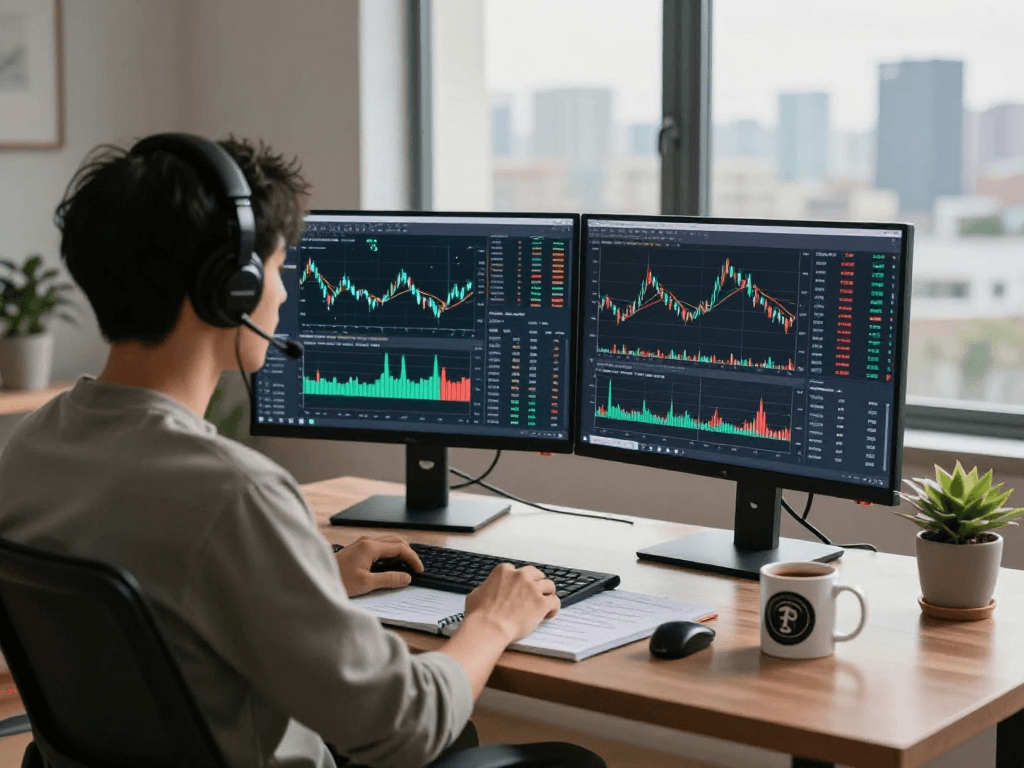
TradingView is a powerful web-based platform that provides interactive charts, real-time market data, and various analytical tools essential for traders. The platform integrates multiple asset classes, allowing users to switch effortlessly between stocks, forex, and cryptocurrencies. At its core, TradingView is designed to facilitate market analysis through customizable charts and advanced technical indicators. Users can create watchlists, follow market trends, and share insights within a community of traders.
Connecting to the platform is straightforward; users can sign up for a free account that includes basic features, or opt for premium subscriptions that unlock more advanced functionalities. The platform's accessibility spans across devices, with dedicated applications for Windows, macOS, and mobile devices, ensuring traders stay connected to the markets anytime, anywhere.
Essential Trading Tools and Indicators on TradingView
TradingView offers an array of tools and indicators that serve different trading strategies. Key features include:
- Customizable Charts: Users can modify their chart layouts to include various timeframes, styles, and indicators that suit their trading preferences.
- Technical Indicators: A vast library of indicators, such as moving averages, RSI, MACD, and Bollinger Bands, allows traders to analyze market conditions cleverly.
- Alerts and Notifications: Setting price alerts helps traders to stay updated on significant market movements without continuously monitoring charts.
- Social Integration: Users can follow top traders, participate in discussions, and access shared strategies within the TradingView community.
Building a Comprehensive Trading Strategy with TradingView
Creating an effective trading strategy involves systematic research and analysis. TradingView provides several tools to facilitate this process, ensuring that traders can develop strategies based on data rather than intuition.
Steps to Create Your First Trading Strategy
To build your first trading strategy on TradingView, follow these steps:
- Define Your Goals: Determine what you want to achieve through trading, such as income generation or wealth accumulation.
- Select Assets: Decide which markets or assets you want to focus on, whether it's stocks, forex, or cryptocurrencies.
- Apply Technical Analysis: Utilize TradingView’s indicators to analyze historical price movements and key support/resistance levels.
- Backtest Your Strategy: Use the Strategy Tester to simulate your strategy's performance against historical data.
Backtesting Strategies: How to Evaluate Performance
Backtesting is crucial for validating the effectiveness of a trading strategy. TradingView’s built-in Strategy Tester allows users to:
- Simulate trades based on historical data, enabling traders to see how their strategy would have performed.
- Evaluate key metrics such as win/loss ratio, maximum drawdown, and return on investment to gauge strategy reliability.
- Refine strategies by adjusting parameters and optimizing for different market conditions.
Utilizing Alerts and Notifications for Real-Time Trading
Real-time alerts are vital for traders who cannot constantly monitor the markets. TradingView allows users to set personalized alerts based on:
- Price levels: Receive notifications when an asset reaches a specific price point.
- Technical indicators: Set alerts for indicator crossovers or other predefined conditions, ensuring you never miss trading opportunities.
- Macro events: Stay informed about important financial announcements that can impact your trading positions.
Advanced Analysis Techniques on TradingView
For more experienced traders, leveraging advanced analysis techniques can significantly enhance trading performance. TradingView provides various tools to support in-depth analysis.
Using Multi-Timeframe Analysis for Better Decisions
Multi-timeframe analysis involves evaluating price movements over different time scales to identify trends and reversals. With TradingView, traders can:
- View multiple timeframes on a single chart, allowing for comprehensive analysis.
- Pinpoint long-term trends while simultaneously identifying short-term entry and exit points.
- Adjust indicators across different timeframes for a more nuanced understanding of market behavior.
Incorporating Fundamental Analysis alongside Technicals
While technical analysis is essential, incorporating fundamental analysis can provide a more holistic view of market potential. TradingView facilitates this by integrating economic calendars and news feeds, allowing traders to:
- Monitor key economic indicators, earnings reports, and geopolitical events that may affect asset prices.
- Combine technical signals with fundamental insights to make more informed trading decisions.
- Utilize community sentiment and discussions to gauge market perceptions.
Community Insights: Learning from Other Traders
The TradingView community is a valuable resource for traders looking to expand their knowledge. Users can:
- Follow traders who share successful strategies and insights, gaining inspiration from their methodologies.
- Participate in forums and discussions, asking questions and sharing experiences to enhance learning.
- Explore public scripts and analyses to see how different trading strategies are applied in real market scenarios.
Maximizing TradingView for Different Markets
TradingView's versatility makes it suitable for various asset classes. By adapting strategies to different markets, traders can maximize their efficiencies.
Adapting Strategies for Stocks, Forex, and Cryptocurrency
Each market has its nuances, and TradingView allows users to customize their approach:
- Stocks: Focus on earnings reports and market sentiment while utilizing technical charts for better entry points.
- Forex: Pay attention to economic indicators and currency correlations, using TradingView’s features to track exchange rates effectively.
- Cryptocurrencies: Leverage 24/7 market activity by setting alerts for price volatility and market trends.
Integrating Economic Events into Your Trading Approach
Economic events play a crucial role in market movements. TradingView’s economic calendar helps traders:
- Identify key announcements that can impact asset prices and prepare accordingly.
- Align technical setups with upcoming events for strategic entries and exits.
- Understand market reactions to economic data, enhancing prediction accuracy.
Cross-Asset Analysis using TradingView
Cross-asset analysis is essential for understanding market dynamics. TradingView enables traders to:
- Compare different asset classes to identify correlations and divergences.
- Utilize heat maps and correlation matrices to visualize market relationships, facilitating better trading decisions.
- Adapt strategies based on insights gained from related markets.
Future Trends in Trading and Analysis with TradingView
As trading technology advances, platforms like TradingView will continue to evolve, offering new features and enhancements to meet traders' needs.
Emerging Technologies Impacting Trading Platforms
Innovations such as artificial intelligence, machine learning, and blockchain technology are transforming trading platforms. In the next few years, we can expect:
- Increased automation in trading strategies through AI, helping traders execute trades based on complex calculations.
- Enhanced predictive analytics capabilities, allowing for better forecasting of market trends.
- Integration of blockchain technology for secure and transparent transaction processing.
What to Expect from TradingView in 2026 and Beyond
Looking ahead, TradingView is poised to introduce several advancements, including:
- More comprehensive tools for algorithmic trading and automated strategies.
- Enhanced collaboration features, allowing traders to work together in real-time.
- Integration with more brokerage firms for seamless trading execution directly from the platform.
Preparing for Market Changes: Adapting Strategies
As markets evolve, traders will need to adapt their strategies continuously. Utilizing TradingView’s analytical tools will allow traders to stay ahead by:
- Regularly reviewing and optimizing their trading strategies based on performance data.
- Staying informed about market news and global events that may influence trading decisions.
- Engaging with the TradingView community for insights and strategies adapted to changing market conditions.
What features make TradingView stand out in 2026?
TradingView’s unique features will continue to position it as a market leader:
- An expansive library of indicators and drawing tools for in-depth analysis.
- A user-friendly interface that caters to both novice and experienced traders.
- Robust community-driven insights that foster learning and collaboration amongst traders.
How does TradingView facilitate community learning?
Community engagement is essential for traders. TradingView fosters this through:
- Public profiles where traders can share their strategies and analyses.
- Forums and discussion boards that encourage knowledge sharing and mentorship.
- Opportunities to collaborate on research and trading ideas.
What are the best practices for using TradingView effectively?
To maximize the benefits of TradingView, traders should consider the following best practices:
- Regularly update and refine trading strategies based on market changes.
- Engage with the community to learn from others’ experiences and insights.
- Utilize the full range of features, including alerts and backtesting, to enhance trading efficiency.
How to secure your TradingView account?
Account security is paramount in trading. To protect your TradingView account:
- Enable two-factor authentication to add an extra layer of security.
- Use strong, unique passwords and regularly update them.
- Monitor account activity for any unauthorized access attempts.
Can TradingView be used for mobile trading?
Yes, TradingView is optimized for mobile device use, providing a seamless experience that allows users to:
- Access real-time market data and charts on the go.
- Receive notifications and alerts on their mobile devices.
- Execute trades with connected brokers directly through the mobile app.