
Understanding Laser Cutting Designs
What are Laser Cutting Designs?
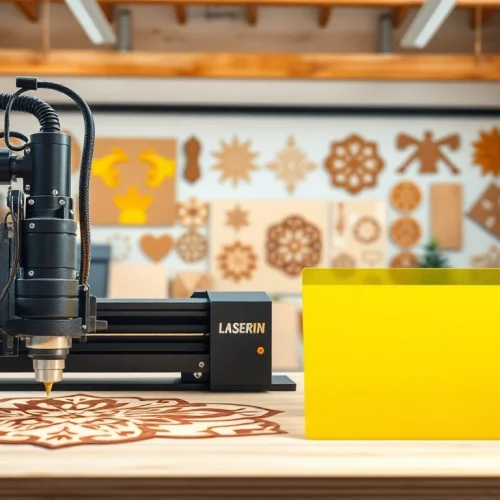
Laser cutting designs are graphical representations tailored for use with laser cutting technology. These designs specify intricate shapes, patterns, or templates that a laser cutter can follow to precisely cut or engrave materials. The designs are predominantly created in vector formats, which allow for scalability without losing quality. This technology has revolutionized various industries, enabling higher precision and complexity in projects while drastically reducing material waste.
Applications of Laser Cutting Designs
Laser cutting designs have a multitude of applications across diverse fields. In the crafts and DIY community, designers utilize these intricate patterns for creating art, home decor, and personalized gifts. In commercial settings, industries leverage them for signage, prototype development, and component manufacturing for electronics. They are also prevalent in the fashion industry, providing unique fabric cuts for garments. The versatility of laser cutting designs allows for integration into almost any product line, enhancing creativity and efficiency.
Types of Materials Suitable for Laser Cutting Designs
Laser cutting is compatible with various materials, broadening its application scope. Some of the most commonly used materials include:
- Wood: Plywood, MDF, and hardwood are popular choices for crafting intricate designs.
- Acrylic: Known for its vibrant colors, acrylics are widely used for signage and decorative items.
- Metal: Stainless steel, aluminum, and brass can be precisely cut or engraved, often used in manufacturing parts.
- Cardboard: Cost-effective for prototyping, cardboard is common in packaging and models.
- Leather: Used in fashion, accessories, and custom products, leather adds a premium feel to designs.
Finding Quality Laser Cutting Designs
Online Resources for Laser Cutting Designs
Finding quality laser cutting designs has become streamlined with the advent of various online platforms. Websites specializing in design files provide users with extensive libraries of ready-made templates. These resources often offer a range of file formats, including DXF, SVG, and PDF, catering to different software and laser cutter types. By exploring these platforms, users can find unique designs that suit their personal or commercial projects.
Community Contributions and Free Designs
The maker community is an invaluable source of free laser cutting designs. Websites like forums and social media groups encourage designers to share their creations. Users can discover diverse styles and concepts while also contributing their own designs to the community. Exploring these contributions not only provides access to cost-effective templates but also fosters collaboration and innovation among creatives.
Customizing Your Laser Cutting Designs
Customization is key when it comes to laser cutting designs, as it allows users to tailor patterns to their specific needs. Many software programs, like Adobe Illustrator and Inkscape, facilitate this process by enabling users to modify existing templates—adjusting sizes, colors, and details. Custom designs can reflect unique branding elements or personal touches that enhance products’ individuality, making them more appealing to potential customers.
Creating Your Own Laser Cutting Designs
Software Tools for Laser Cutting Designs
Several software tools are available for those looking to create their own laser cutting designs. Vector graphics software, such as Adobe Illustrator, Inkscape, and CorelDRAW, is particularly effective. These programs leverage vector-based graphics to ensure scalability and precision. Additionally, CAD software can be useful for detailed engineering designs, particularly in industrial applications. Each tool has its strengths and weaknesses; thus, understanding specific project needs will help you select the best tool.
Design Best Practices for Laser Cutting Designs
When creating laser cutting designs, adhering to best practices can significantly improve outcome quality. Begin by ensuring your designs have sufficient clearance to prevent materials from fracturing. Use solid lines for cutting paths and dashed lines for engraving areas. Moreover, consider material thickness during design iterations. Testing designs on lower-cost materials before the final cut can save time and resources while ensuring precision.
Experimenting with Personal Projects Using Laser Cutting Designs
Experimentation plays a vital role in mastering laser cutting designs. Whether it’s creating custom home decor, personal gifts or even designing prototypes for product ideas, hands-on projects can enhance skills and inspire creativity. Documenting successes and setbacks in design not only builds confidence but translates to improved abilities over time. By sharing these experiences in community forums, others can learn from your journey as well.
Optimizing Laser Cutting Designs for Quality
Choosing the Right Settings for Laser Cutting Designs
Optimizing laser cutting projects begins with selecting the correct machine settings, such as power, speed, and frequency, which vary based on material thickness and type. Higher power settings are essential for cutting thicker materials, while faster speeds are suitable for thinner materials with deeper engraving. Initially, running tests on scrap materials helps in identifying the perfect combination of these parameters, ensuring high-quality finishes without unnecessary waste.
Post-Processing Techniques for Laser Cutting Designs
Post-processing techniques greatly affect the final product quality. For instance, sanding or polishing the edges of cut pieces enhances their aesthetic appeal, particularly for decorative items. For engraved items, applying paint or stain can bring out the design details. Additionally, cleaning residue from cuts using appropriate solvents can prevent discoloration, ensuring vibrant outputs that are ready for display or sale.
Common Mistakes When Using Laser Cutting Designs
Avoiding common mistakes can significantly improve the efficiency of laser cutting projects. Overloading the cutting machine with complex designs may lead to failures. Similarly, neglecting material compatibility may result in subpar outcomes. Inadequate design preparation, such as failing to check for overlapping lines or disconnected paths, can lead to improper cuts or engravings. Reviewing designs for these issues in advance saves considerable time during actual production.
FAQs About Laser Cutting Designs
Where can I find laser cutting designs?
You can find laser cutting designs on various websites that host creative files. Consider platforms that offer community contributions for a wider selection of styles.
How to create laser cutting designs?
Creating laser cutting designs typically involves vector graphic software. Ensure you follow file format guidelines to guarantee compatibility with the laser cutting machine.
What materials are best for laser cutting designs?
Popular materials for laser cutting include wood, acrylic, cardboard, and leather. Each material contributes different aesthetic qualities and fabrication is dependent on intended use.
Can I sell products made from laser cutting designs?
Yes, you can sell products made from laser cutting designs, as long as you adhere to design file licensing agreements and respect the original creators’ rights.
How do I adjust designs for different laser cutters?
Adjusting designs involves resizing, ensuring the correct file format, and calibrating your laser cutter settings to match the materials used.